
77u7 App – Keep It in Your Pocket,
Play Anytime You Want
Once you install the 77u7 App, no more opening a browser every time. Crash, Fishing, Slots, and bKash/Nagad deposits — all in one place. Download the APK directly and get started in just a few minutes.
18+ · Responsible Gaming
Before You Download – File Info & iOS Option
Android users can download and install the APK directly; iPhone and iPad users can play without any issues too.
77u7 App Info
| Version | 2.2.1 |
| File Size | 45 MB |
| Minimum Android | 7.0 (Nougat) |
| Last Updated | 26 November 2026 |
| Price | Free |
| Language | Bengali / English |
| File Name | 77u7.apk |
APK cannot be installed on iOS, but you can add a shortcut directly to your Home Screen from Safari and get an app-like experience – no App Store or extra download needed.
- ১ Open Safari on your iPhone or iPad and go to 77u7.vu.
- ২ Tap the Share icon () in the bottom toolbar.
- ৩ Select "Add to Home Screen" and name it 77u7.
Next time, open it straight from your Home Screen – in full-screen mode, without any browser bar.
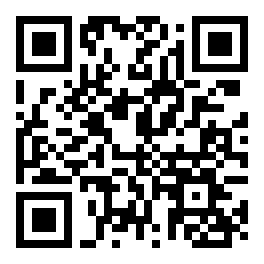
Scan the QR code on your Android phone to go directly to the 77u7.apk download page – no need to type the link.
Install 77u7 APK on Android – five steps
The APK is not on Google Play, so you need to download and install it directly from our site. Each step is explained in detail below.
-
1Allow installation from unknown sources
Android 8.0 or above: Go to Settings → Apps → Special App Access → Install Unknown Apps, select your browser (Chrome or Firefox), and turn on "Allow from this source".
Only needs to be done once
Android 7.0: Go to Settings → Security → Unknown Sources and toggle it on. -
2Download the APK file
Tap the "Download APK" button on this page. The download will start – the file is named 77u7.apk and is 45 MB in size. It usually takes 1–2 minutes on mobile data; faster on Wi-Fi.
77u7.apk · 45 MB -
3Open the file from File Manager
Once the download is done, you'll see "77u7.apk downloaded" in the notification bar – tap it to open the installer. Or open your phone's File Manager, go to the Downloads folder, and find 77u7.apk.
-
4Tap "Install" and wait
The installer screen will show the app's permission list (network, storage, notifications). Tap "Install". The installation takes about 30 seconds to 1 minute.
About 30–60 seconds -
৫
- Android 7.0 or above
- At least 100 MB free storage
- Stable internet connection
- "Unknown sources" install permission turned on
- Battery at least 20% (during installation)

What you get in the App that you don't get in the browser
77u7 App is not just a shortcut – everything from login to deposit, games to support, is optimized separately. These six features save regular players both time and taps.
Fingerprint and PIN login
No need to type your password every time. Open the App and use your fingerprint or a four-digit PIN – you're in within seconds. Your biometric data never leaves your phone; it stays on the device only.
Device-Level SecurityOne-Tap Mobile Deposit
Save your preferred wallet – bKash, Nagad, or Rocket – once, and next time just enter the amount and deposit. Minimum ৳300, and your balance is usually updated within 3 minutes. To compare all options, check the 77u7 Deposit Methods Compared page.
Deposits in ~3 MinutesCrash, Fishing & Slots – Direct Access
The App home screen has three separate buttons for each category. From Pragmatic Play's Crash Bonus to Habanero's Fishing Kui Li – visit the Casino page to browse the full lobby.
2,600+ GamesPush Notifications – Never Miss a Bonus
Get the weekly 24% reload bonus alert, early tournament reminders, and deposit confirmations sent straight to your phone. Head to App settings to control exactly which notifications you want to receive.
Bonus UpdatesOffline Lobby Browsing
Even on a weak connection, you can still browse the game list, check RTP info, and read bonus terms – the App caches this data automatically. You'll need a live connection to play, but you can plan your bets and pick your games ahead of time.
Data Cached24/7 Live Chat Shortcut
There's a live chat button right in the App's bottom menu. If a deposit gets stuck or you run into a game issue, reach support without opening a browser. The team responds in Bangla.
Support in BanglaTrouble Installing the APK? Here's What to Do
Most install issues come down to a phone setting or an incomplete download. The table below covers five common problems and their fixes at a glance.
| Issue | Likely Cause | Fix |
|---|---|---|
| "Install Blocked" or "Security Block" message | Permission to install from unknown sources is turned off | Go to Settings → Special App Access → Install Unknown Apps, then enable permission for your browser. Try installing again. |
| "Parse Error" or "App Not Installed" | Download was interrupted and the file is corrupted | Delete the old 77u7.apk from your Downloads folder. Re-download over Wi-Fi or a stable connection. Make sure the file size is exactly 45 MB. |
| "Insufficient Storage" | Less than 100 MB of free space on the phone | Go to Settings → Storage and delete unwanted photos or old apps until you have at least 150 MB free. Then try installing again. |
| Antivirus app is blocking the install | A third-party security app is flagging the APK as suspicious | Temporarily disable your antivirus app or add 77u7.apk to its whitelist. Our APK downloaded directly from 77u7.vu is completely safe. |
| App crashes immediately after install | Android version below 7.0 or low RAM | Go to Settings → About Phone and check your Android version – if it's below 7.0, this App is not supported. Try restarting your phone and installing again; if the issue persists, contact 24/7 live chat. |
- The URL shows 77u7.vu – no other domain
- Your browser's address bar shows the padlock (🔒) icon
- The downloaded file name should be exactly 77u7.apk
- File size should be 45 MB (be suspicious if it's much smaller or larger)
When a new version is available, you'll get a notification inside the App when you open it. To update, just download the new APK and install it over the existing one — your account and balance will not be affected.
Current version: 2.2.1
Common questions about the 77u7 App
Find answers to the most common download and install questions here — if you don't see yours, ask us on live chat.
Download Now – Double Your First Deposit
Install the 77u7 App, open an account, and get a 200% bonus on your first deposit (up to ৳5,000). See full bonus terms on the Bonus page.
18+ · Responsible Gaming · For Adults Only